

How To Get Through Administrator Password Windows 7
I forgot my administrator password and tin can't find the paper that I wrote it. Now, I tin't brand any changes to the computer and it blocks me from downloading whatever updates or programs. How can I bypass the administrator password? My figurer is running Windows vii Professional.
An administrator account allows y'all to control almost all aspects of your PC, such as control of what tin can be accessed and which software tin can exist installed. This article volition show you how to bypass the administrator countersign on Windows 7.
Earlier we talk over each method in item, you can bank check the table beneath to have a articulate understanding of them.
| Methods | Success rate | Complication | Recovery time | Demand installation disk or non | Need password or not |
| Pre-made Countersign Reset Disk | 100% | Medium | Medium | Need | Doesn't need |
| Command Prompt | l% | Complicated | Long | Need | Doesn't need |
| Organisation Repair Disk | 100% | Complicated | Long | Need | Doesn't demand |
| Password Reset Tool | 100% | Easy | Brusque | Doesn't need | Doesn't need |
| Command Panel | 100% | Piece of cake | Short | Doesn't need | Need |
Role 1: How to Bypass Windows seven Admin Password without Password
If you are unable to update or install any programs on your Windows 7 computer due to the lost or forgotten ambassador password, and then you can use the following 4 methods to bypass administrator password on Windows vii to install software.
Method 1: Use Pre-made Password Reset Disk
Windows has the option to allow you to create a reset deejay using an external drive, such as a CD or USB. If y'all have created a reset deejay beforehand, y'all can employ this to modify the password without having access to the former password. To do this:
Step ane: Restart your computer. Enter anything in the password field and press "Enter".
Footstep 2: You will come across an option that says: "Reset password" beneath the countersign field. Click on this option.

Step 3: The Countersign Reset Wizard will announced. Now, insert the countersign reset deejay to the computer and follow the teaching to cull the drive.

Step four: A new window will pop up. At the moment, you can blazon your new password and a new countersign hint as well.

Method two. Bypass Windows 7 Admin Password with Command Prompt
If you merely have ane Windows 7 administrator account on your computer, then yous can use command prompt to featherbed Windows 7 admin password. This method will take advantage of the born administrator account, which is disabled in default and has no password protection. If your born ambassador account has been enabled before, you can follow the beneath steps:
Step 1: Start your estimator and repeatedly press F8 to bring out the Avant-garde Kicking Options screen.
Step 2: You volition come across a listing of options. Use the arrow keys to navigate to the option that says: "Safe Mode with Control Prompt" and press Enter in one case you have highlighted this option.

Pace 3: Your next step volition exist to booting into Control Prompt with Administrator privileges because this will allow you lot to make changes to the arrangement. As soon as a black dialog with white writing appears, type "net user" and and so press the Enter key on your keyboard.
Step four: A listing of all the user accounts on your PC will appear in white writing. Find the user that you wish to reset the password of and note downwardly the name.
Step 5: To reset the password, type "net user youraccount yournewpassword", for example, "net user Administrator 123456". Click Enter, and so your password will exist changed.


After testing recently, nosotros found this method doesn't work on our computer. You lot may have a endeavor on your end.
Method iii. Use System Repair Disk to Bypass Admin Countersign
When you purchased your PC, you may take received a repair disk with the PC. Alternatively, y'all may have purchased ane previously in order to set up Windows on your PC. If you have a arrangement repair disk, you tin use this to bypass the administrator password on Windows 7. This method is a footling bit hard. If you are a computer novice, nosotros suggest you cull other options..
Footstep i: Insert the repair disk (either CD/DVD or USB) and restart your PC.
Step two: Press the key to boot your PC from the repair disk. You lot need to google to know which key you should press, because it is dissimilar for different estimator brands.
Step iii: When the Install Windows screen appears, you need to choose the language and other preferences. Then click on "Next".
Pace 4: In this stride, you lot need to choose "Repair your computer".

Step 5: It will take some time for the arrangement to procedure. Then choose Control Prompt from the System Recovery Options screen.
Step half-dozen: Re-create copy c:\windows\system32\utilman.exe c:\ and so press Enter. The letter c:\ refers to your Windows location. Alter the letter if your Windows 7 installation location is different.
Step 7: Then type copy c:\windows\system32\cmd.exe c:\windows\system32\utilman.exe. Too, you lot may need to alter the letter c with a letter that corresponds with your Windows installation location.
Footstep eight: Type Y and and then hit Enter once the process has completed.
Step nine: Now you can restart the Windows PC and click the Ease of Access push at the bottom left of the login screen. Choose Control Prompt if it doesn't come up and then reset your password using the same internet user commands equally the ones in Method two.
Method 4. Using a Windows Countersign Reset Tool – Passper WinSenior (Recommended)
The above iii methods show how to bypass Windows 7 admin password without software. After checking the previous instructions, you will discover that some methods are complicated or have depression success rate. Therefore, it's necessary to observe an constructive and easy tool. Under the circumstances, we would similar to recommend a comprehensive tool named Passper Winsenior. The program is a perfect tool to bypass Windows 7 administrator password, since yous can use it reset or remove Windows admin countersign with 100% success charge per unit. Based on the advanced technology, your Windows 7 admin password can be bypassed within seconds. If offers detailed on-screen instructions, and then whether you are a computer newbie or expert, you can hands bypass the countersign with a few clicks.
Following is a detailed guide on how to employ Passper WinSenior. Y'all need download and install the program on an accessible calculator commencement.
Free Download For Win 10/8.i/viii/7/XP
Step 1 Insert a blank CD/DVD/USB drive to an accessible computer to create a countersign reset disk. Eject it after creation.
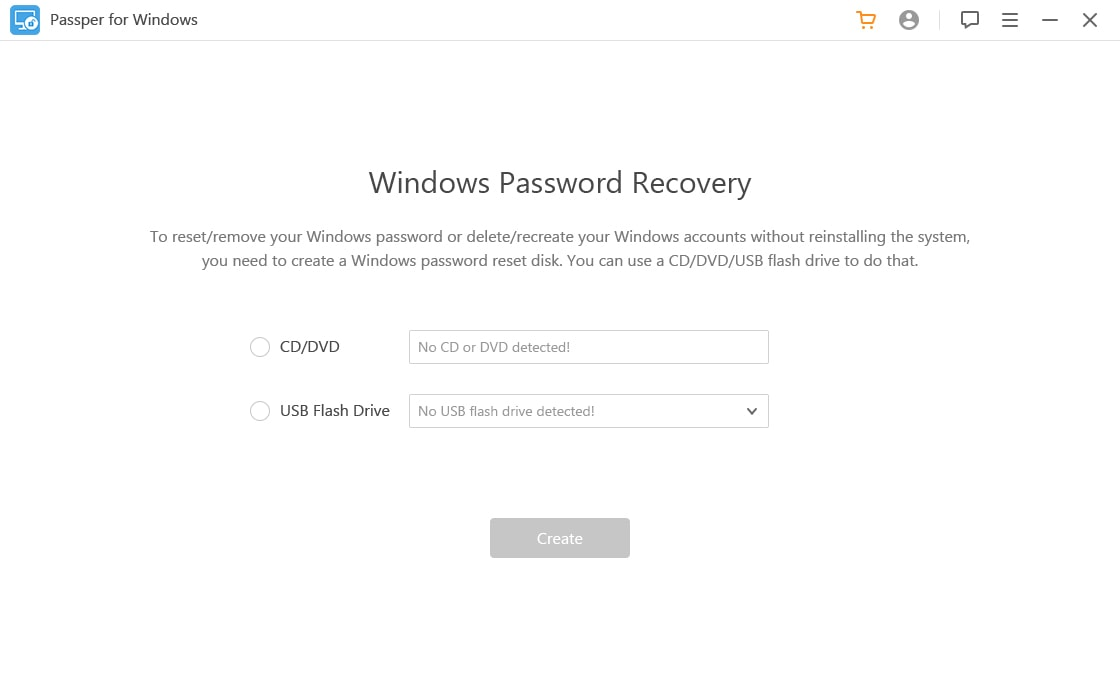
Pace 2 Insert the password reset disk to the locked computer. Start your computer and press the special fundamental to enter the Kick Bill of fare. Then, y'all need to cull your kicking device and printing Enter to bring out the Windows Password Recovery screen.
Different computer brands accept different special keys. This program will evidence your special key in one case y'all select your computer blazon and make.

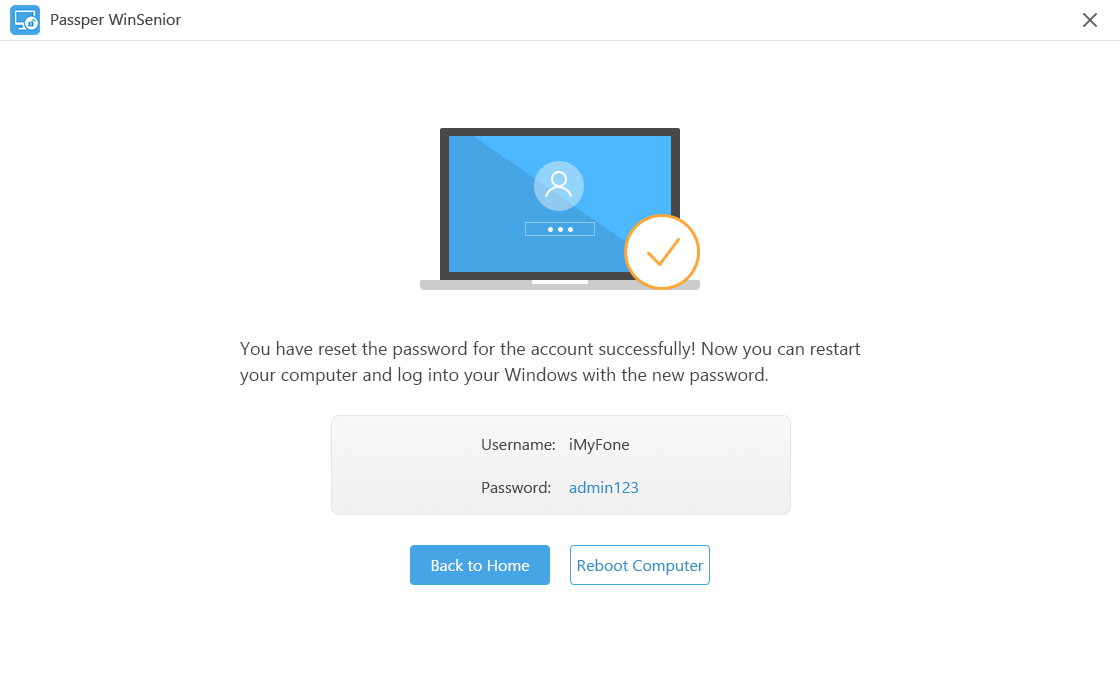
Step three In order to bypass the admin password, y'all'll need to choose your operating system, task and the admin account. You'll exist notified in one case y'all have reset the admin password successfully.
Part 2: How to Bypass Windows 7 Admin Password with Known Password
To tell the truth, it's abrasive that you need to enter the administrator countersign every time when you desire to install whatsoever programs, especially when you are the only user of your figurer. So if you want to solve this consequence, yous can check the following steps:
Pace i: Navigate to Offset Card, and enter Control Panel in the search bar.
Stride 2: Go to User Accounts and Family Safety>User Accounts. Then choose "Remove your countersign".

Step 3: Enter your current password, and then click on the "Remove Password" button.
You won't need to enter the administrator password anymore when y'all want to install whatsoever software or make changes to your estimator.
Conclusion
These methods should hopefully permit you to featherbed the administrator password on your Windows 7 PC. If y'all know whatever other methods, delight leave a annotate beneath.
Source: https://passper.imyfone.com/windows-7/how-to-bypass-windows-7-admin-password/
Posted by: triggitere1938.blogspot.com
0 Response to "How To Get Through Administrator Password Windows 7"
Post a Comment